Azure Digital Twins: DTDL Model, Graph, Event Routes
Learn how Azure Digital Twins uses DTDL models, a relationship graph, and event routes to sync device state and drive real-time workflows.
Contents & prerequisites
What is Azure Digital Twins and Why It Matters
Platform overview and use cases
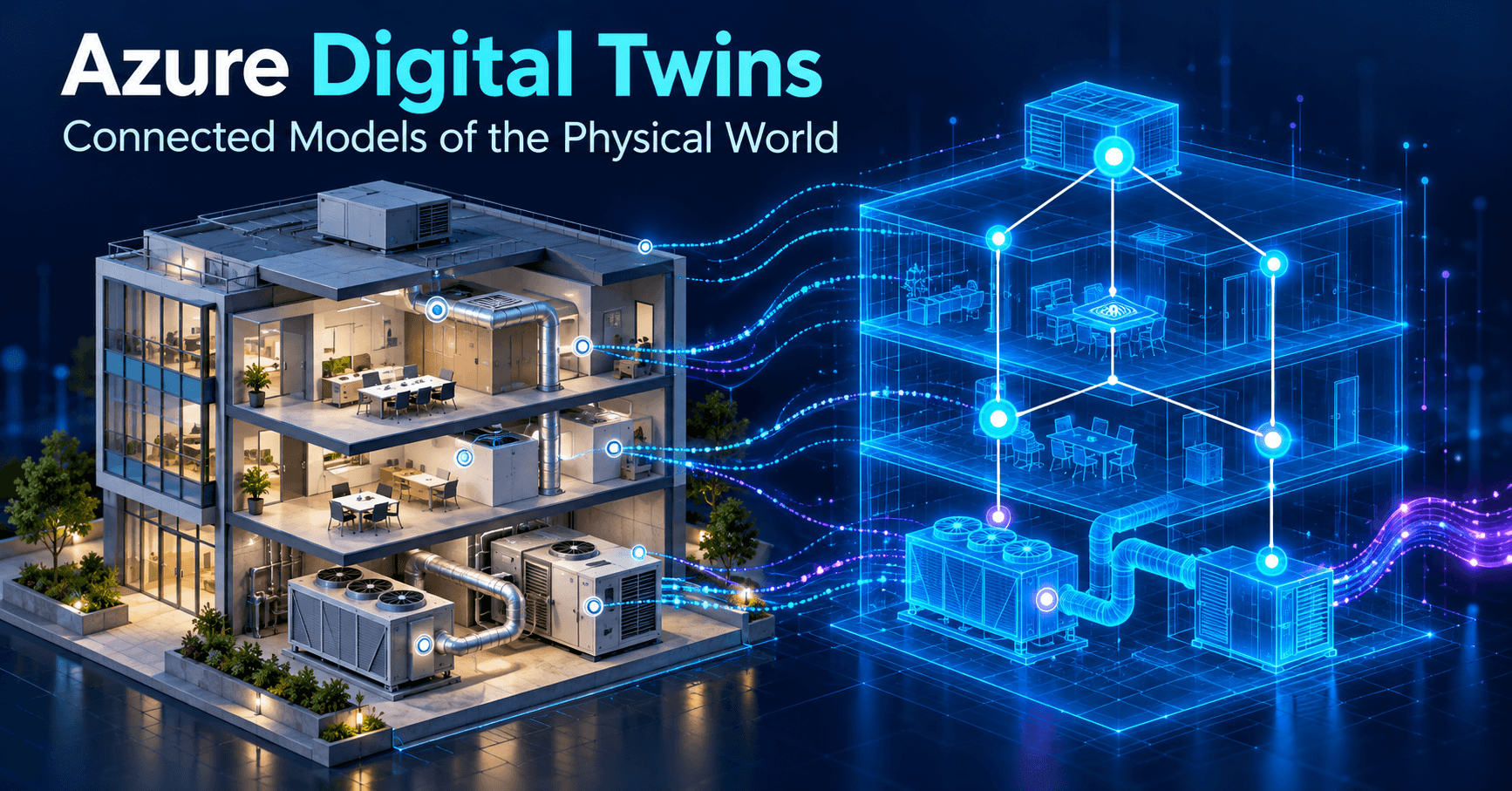
Azure Digital Twins (ADT) is a platform-as-a-service offering from Microsoft that lets you build a live, queryable model of physical environments — factory floors, buildings, energy grids, supply chains — as a graph of interconnected entities. Unlike a time-series database that just stores telemetry, ADT maintains a persistent representation of what things are, how they relate, and what state they're currently in. A twin for a chiller isn't just a stream of temperature readings; it's an object with a type, properties, relationships to the floor it sits on and the air handler it feeds, and a live state that other services can query at any instant.
Typical production use cases: smart building management (space utilization, HVAC optimization), industrial equipment hierarchies (plant → line → machine → sensor), energy distribution networks, and logistics graphs tracking vehicles, shipments, and depots. The common thread is that these systems have both strong structural relationships and real-time state that changes fast enough that a static CMDB or asset database can't keep up.
Digital twin concept for IoT systems
In classic IoT architectures, you ingest telemetry, route it through a broker, and land it in a database or dashboard. That pipeline answers "what value did sensor X report?" but struggles with "what's upstream of sensor X, and what should happen to those entities if X trips an alarm?" A digital twin closes that gap by giving every physical or logical entity in your system a first-class digital counterpart with typed properties and explicit relationships to its neighbors. This sits downstream of the usual IoT architecture layers: perception, network, application — twins live in the application layer, consuming data that's already been sensed and transported, and adding the missing semantic layer on top.
Positioning within Azure IoT services
ADT doesn't replace IoT Hub, Event Hubs, or Time Series Insights — it composes with them. IoT Hub still handles device provisioning, authentication, and bidirectional messaging; Azure Digital Twins consumes the telemetry IoT Hub forwards and updates the graph accordingly. It's a modeling and orchestration layer, not a device connectivity layer, and it's typically the piece that plugs in after you've already solved the problem described in IoT definition: sensors, connectivity, cloud, analytics — ADT is the "analytics and context" half, not the sensing or transport half.
DTDL: The Digital Twins Definition Language
DTDL syntax and structure
Models in ADT are written in the Digital Twins Definition Language (DTDL), a JSON-LD-based schema language also used by IoT Plug and Play. A DTDL document defines an Interface — the type definition for a class of twin — with a unique DTMI (Digital Twin Model Identifier), a versioned URN-like string such as dtmi:com:example:Chiller;1.
Defining interfaces, properties, telemetry, and commands
A minimal interface looks like this:
{
  "@id": "dtmi:com:example:Chiller;1",
  "@type": "Interface",
  "@context": "dtmi:dtdl:context;3",
  "displayName": "Chiller",
  "contents": [
    {
      "@type": "Property",
      "name": "setPointTemperature",
      "schema": "double",
      "writable": true
    },
    {
      "@type": "Telemetry",
      "name": "currentTemperature",
      "schema": "double"
    },
    {
      "@type": "Command",
      "name": "resetAlarm",
      "request": { "name": "reason", "schema": "string" }
    },
    {
      "@type": "Relationship",
      "name": "feeds",
      "target": "dtmi:com:example:AirHandler;1"
    }
  ]
}
Property elements represent persisted, queryable state (set point, firmware version, operational mode). Telemetry elements represent transient, high-frequency measurements that aren't stored on the twin itself. Command elements model invokable operations, mirroring device direct methods. Relationship elements are the graph edges — here, a chiller feeds an air handler.
Model composition and inheritance
DTDL supports extends for inheritance (a VariableSpeedChiller extending Chiller) and composition via Component for embedding reusable sub-models, such as a shared Diagnostics block across many device types. This mirrors the device taxonomy concerns raised in IoT device classification: constrained, gateway, cloud — you'll often want a base interface for constrained sensor nodes and a richer extended interface for gateway-class devices with additional telemetry and commands.
Version management and schema validation
Every DTMI carries an explicit version suffix (;1, ;2). ADT does not allow in-place mutation of a model — you upload a new version alongside the old one, migrate twins, then decommission the stale version. Models are validated on upload against the DTDL parser; common rejection causes are duplicate content names within an interface, circular extends chains, and schema type mismatches (e.g., referencing an undefined complex schema). Keep models in source control and run the DTDL validator in CI before deployment — a bad upload mid-fleet-update is a painful rollback.
Building and Managing the Digital Twins Graph
Graph topology and entity relationships
Once models exist, you instantiate twins (instances of interfaces) and connect them with relationships (instances of the relationship types defined in DTDL). The graph is directed and multi-relational: a Floor twin might have contains relationships to multiple Room twins, each Room has hasDevice relationships to sensors, and a Chiller has feeds to an AirHandler. There's no fixed depth limit, but practically you want a graph shaped around how you'll query it, not how the building happens to be wired.
Creating twins and relationships from DTDL models
Using the Azure CLI:
az dt twin create --dt-name myDigitalTwin \
  --dtmi "dtmi:com:example:Chiller;1" \
  --twin-id chiller-07

az dt twin relationship create --dt-name myDigitalTwin \
  --relationship-id chiller07-feeds-ahu03 \
  --relationship feeds \
  --twin-id chiller-07 \
  --target ahu-03
Querying the graph with KQL
ADT exposes a Kusto-like query language (not full KQL, but syntactically close) over the Query API. A typical traversal:
SELECT chiller, ahu
FROM DIGITALTWINS chiller
JOIN ahu RELATED chiller.feeds
WHERE chiller.currentTemperature > 30
This finds every chiller above a threshold and its downstream air handler in one call — the kind of join that requires multiple round trips against a flat telemetry store. Best practice: filter on indexed properties ($dtId, $metadata.$model) early in the query, avoid unbounded multi-hop traversals across large graphs (each RELATED hop has a cost), and paginate results for graphs beyond a few thousand matching twins.
Graph updates and twin state synchronization
Twins are updated via JSON Patch against the twin's property set, typically triggered by incoming device telemetry. This is the synchronization mechanism: a function subscribed to IoT Hub telemetry patches the corresponding twin's currentTemperature property on every message (or on a throttled interval, to avoid patch storms from high-frequency sensors). The twin always reflects last-known-state, not a full history — for time-series retention you still need a separate sink such as Azure Data Explorer via history connectors.
Event Routes: Connecting Twins to External Systems
Event route architecture and flow
Changes to the graph — property updates, twin creation, relationship changes — emit twin update notifications and telemetry events. Event Routes are named pipes that take these internal events and forward them to an Azure messaging endpoint. A route binds an event sink (Event Hub, Service Bus topic, or Event Grid topic) to an optional filter.
Routing to Event Hubs, Service Bus, and Event Grid
az dt route create --dt-name myDigitalTwin \
  --route-name alertRoute \
  --endpoint-name myEventGridEndpoint \
  --filter "type = 'Microsoft.DigitalTwins.Twin.Update'"
Event Hubs suit high-throughput telemetry fan-out into stream analytics; Service Bus suits ordered, transactional command-style workflows (e.g., triggering a maintenance ticket exactly once); Event Grid suits lightweight, filtered pub-sub to multiple independent subscribers, including Logic Apps.
Filtering and transforming twin events
Filters use a SQL-like syntax evaluated against the event envelope (type, source, data.modelId). You can't do arbitrary payload transformation in the route itself — for reshaping, route into an Azure Function or Logic App that normalizes the payload before it hits a downstream consumer.
End-to-end event-driven workflows
A representative pipeline: IoT Hub → Function (patches twin) → twin update event → Event Route → Event Grid → Logic App that opens a ticket if currentTemperature crosses a threshold. No component polls; every hop is event-triggered, which keeps latency bounded by message delivery rather than polling interval.
Practical Integration Patterns
Ingesting device data into twins
The standard ingestion function listens to IoT Hub's built-in Event Hub-compatible endpoint, maps the device ID to a $dtId (often via a lookup twin or naming convention), and issues a UpdateDigitalTwin patch. Keep this mapping explicit — don't rely on device IDs matching twin IDs by coincidence, since fleets get renamed and re-provisioned.
Real-time event processing and alerting
Alerting logic belongs outside ADT itself — in a Function or Stream Analytics job subscribed to the twin update route — because ADT has no built-in rule engine. Treat ADT as the state and relationship authority, and a separate compute layer as the decision engine.
Multi-service orchestration with Logic Apps or Functions
Logic Apps are well suited to cross-service workflows triggered by Event Grid (ticketing, notification, approval steps); Functions are better for low-latency, high-frequency per-event processing (twin patches, threshold checks). Mixing both — Functions for the hot path, Logic Apps for the business-process tail — is a common and reasonable split.
Temporal data and historical analysis
ADT retains only current state. For history, enable the Azure Data Explorer history connector, which streams twin update events into a Kusto cluster for time-series queries and trend analysis — effectively giving you both "what is true now" (graph) and "what was true then" (ADX) from the same event stream.
Security, Scale, and Best Practices
Identity and access control for twins
ADT uses Azure AD for authentication and Azure RBAC for authorization, with built-in roles like Azure Digital Twins Data Owner and Data Reader. There's no twin-level ACL granularity out of the box — access control is scoped at the instance level, so multi-tenant isolation typically requires separate ADT instances per tenant or careful application-layer filtering.
Model versioning and lifecycle management
Treat DTDL files as versioned artifacts in your deployment pipeline. Upload new model versions without deleting old ones until every twin instance has been migrated (az dt twin update to repoint $metadata.$model), then decommission.
Designing scalable graph structures
Avoid deeply fan-heavy hub twins (a single twin with tens of thousands of direct relationships) — graph queries and relationship listing degrade with high fan-out. Prefer intermediate grouping twins (per-floor, per-zone) that mirror real physical hierarchy. This also addresses the fragmentation concerns in IoT interoperability: standards gap and fragmentation — a consistent DTDL model per device class, rather than ad hoc per-vendor schemas, is what makes cross-vendor graph queries possible at all.
Performance considerations for large deployments
Check the current Azure Digital Twins service limits documentation for per-instance caps on twin count, relationship count per twin, and API request rate — these change between service updates and directly bound how many graph nodes and how much patch throughput a single instance can sustain before you need to shard across instances by site or region.
Learning
Sign in to track your progress.
Evidence
Public projects engineers linked to Azure Digital Twins: DTDL Model, Graph, Event Routes.
No engineer has linked a project to this topic yet. Built something that proves it? Add the project and tag it with iot-connectivity-azure-digital-twins-dtdl-model-graph-event-routes — it then shows here and on your public profile.